Why Your One on One Meeting Template Should Not Be a Generic List
Stop using generic one on one meeting templates that you found on Google. Most static lists lead to boring, robotic meetings. Learn how to use Manager OS and AI to create dynamic 1:1 agendas that actually help you lead your team, build trust, and move beyond simple status updates.
A lot of new managers go to Google and search for a "one on one meeting template." They usually find a PDF or a blog post with a list of ten standard questions like, "What is your biggest challenge this week?"
While having a list is better than having nothing, generic templates often lead to robotic meetings. If you ask the same five questions every Tuesday, your team will start giving you the same five autopilot answers.
To have a meeting that actually helps your team, you need a template that changes based on what is happening in the moment.
The Problem with Static Templates
When you use a basic, static template, you aren't really leading; you are just checking boxes.
- They don't scale: A template for a senior engineer shouldn't look the same as a template for a new hire in their first week.
- They get boring: If the agenda never changes, the meeting starts to feel like a chore for both of you.
- They miss the human part: A list of questions doesn't help you handle the emotions or the subtle cues your employee is giving you.
How Manager OS Reinvents the 1:1 Meeting Template
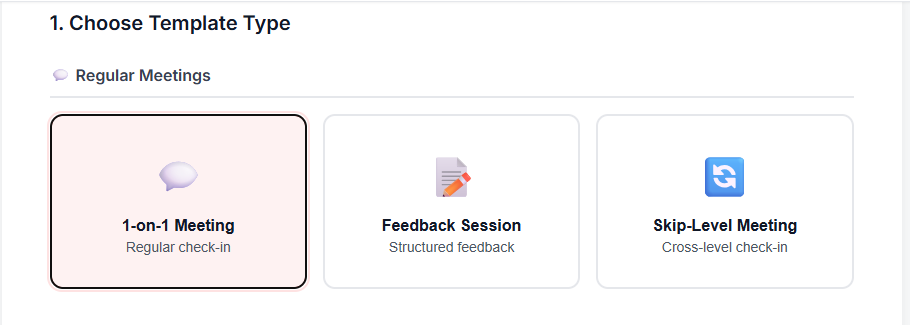
In Manager OS, I don't just give you a static document to copy and paste. I use AI to help you build dynamic templates that fit the specific person you are meeting with.
Instead of a one-size-fits-all approach, you can generate agendas that focus on what matters right now—whether that’s career growth, project blockers, or giving difficult feedback.
1. AI-Powered Agenda Generation
With Manager OS, you can use AI to build a custom 1:1 template in seconds. If you know you need to talk about a specific goal or a recent conflict, the system helps you frame the right questions. This keeps the meeting fresh and ensures you are covering the most important topics.
2. Moving Beyond Status Updates
The biggest mistake managers make is using their 1:1 as a status update. You can see project status in Slack or Jira. Your 1:1 should be for things you can’t see in a dashboard.
Our templates are designed to pull out the "real" information:
- How is the person actually feeling about their workload?
- Where do they feel stuck in their career?
- What can you do to make their job easier?
3. Consistency and Records
A good one on one meeting template is only useful if you remember what was said last time. Manager OS lets you download your templates so you can take notes on them. When you start your next meeting, you can see exactly what you promised to do, which builds trust with your team.
Other Templates for Every Managerial Task
Management isn't just about 1:1s. There are dozens of other moments that require a good framework so you don't have to start from scratch. Manager OS includes a full library of templates for:
- Onboarding: A step-by-step guide to making a new hire feel welcome and productive.
- Performance Reviews: Structure for having hard conversations without the stress.
- Team Activities: Simple templates for running workshops or team-building sessions.
- Exit Interviews: A clear way to learn why people are leaving so you can improve the team.
Stop Searching, Start Leading
You don't need a 20-page PDF on how to talk to your team. You need a simple, flexible system that helps you show up prepared.
If you are still using a random one on one meeting template you found online, it’s time to upgrade. You can use Manager OS to create templates that actually work for your specific leadership style and your specific team.